

Description
Download Planet VPN fast secure VPN APK – fast secure VPN, secure connection, privacy tool, data encryption, military-grade security, free VPN, online privacy, secure network, secure internet, ad blocker, kill switch, no logs policy
Overview
Planet VPN fast secure VPN is a freemium security and privacy tool designed to protect users’ online activities by establishing a secure network connection. The software enables users to encrypt their internet traffic, safeguarding sensitive data such as login credentials and browsing history from potential threats like hacking, malware, and third-party surveillance. Its primary purpose is to ensure online privacy and data integrity across public and private networks.
Target users include individuals seeking to maintain anonymity while browsing, travelers requiring secure access to region-restricted content, and privacy-conscious consumers who want to minimize digital footprints. The app is accessible on both Android and iOS platforms, making it suitable for a broad range of mobile users. While the developer, Planet VPN, did not provide additional background details, the product’s focus on encryption and no-logs policy indicates a commitment to user confidentiality.
Real-world usage scenarios include securing connections on public Wi-Fi networks, accessing geo-blocked services, and protecting personal communications. The app supports both free and premium usage models, allowing users to experience core functionality without cost, though premium features expand server access and remove advertisements.
Key Features & Capabilities
- 256-bit Data Encryption – Utilizes advanced encryption protocols to protect data in transit, ensuring that sensitive information remains inaccessible to unauthorized parties.
- IKEv2 Protocol – Leverages a stable and fast tunneling protocol known for efficient reconnection and strong security performance.
- No-Logs Policy – The developer states that no user activity logs are retained, supporting the claim of enhanced anonymity.
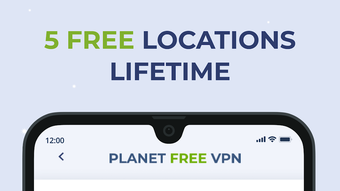
- Server Network Access – Free users can connect to five international servers; premium subscribers gain access to over 60 server locations.
- Ad Blocker – Reduces visual clutter and improves app performance by filtering out intrusive advertisements.
- Kill Switch Feature – Automatically disconnects the internet if the VPN connection drops, preventing data exposure during interruptions.
- Unlimited Bandwidth – No data caps or usage limits, allowing users to stream, download, and browse without restrictions.
These features collectively support secure, uninterrupted online activity. The ad blocker enhances user experience by minimizing distractions, while the kill switch adds a critical layer of protection during unstable connections. The unlimited bandwidth model is particularly beneficial for users who rely on continuous data usage.
User Interface, Workflow & Performance
The application features a clean, minimal interface centered around a single connect button, enabling users to establish a secure connection with one tap. This design prioritizes ease of use, making it accessible even to non-technical users. Navigation is straightforward, with essential functions located within a simple menu structure.
Workflow efficiency is high due to the reduced number of steps required to activate protection. Users can begin securing their connection immediately upon launching the app. However, the time required to establish a server connection is noted as longer than average, though exact performance metrics were not specified. This delay may affect user experience during urgent access needs.
The developer did not provide detailed information on CPU or RAM usage, so general behavior patterns are assumed. Stability appears consistent based on the described functionality, with the kill switch mitigating risks during disconnections. Overall, the app maintains a responsive interface, though connection latency remains a potential bottleneck.
Compatibility & System Requirements
Planet VPN fast secure VPN is available for Android and iOS devices. The current version is 2.1.3, with an installation size of 18.5 MB. The developer did not specify exact system requirements, including minimum OS versions or hardware specifications.
Platform compatibility information is limited, but the app is designed to function on mobile operating systems. Users should verify compatibility with their specific device model and OS version. The developer did not provide details on whether the app supports tablets or other form factors.
Exact system requirements were not listed, so users are advised to consult their device’s official guidelines for optimal performance.
Pros and Cons
Pros
- Strong 256-bit encryption with IKEv2 protocol for secure data transmission
- Ad blocker enhances user experience and reduces distractions
- No-logs policy supports user anonymity and privacy
- Unlimited bandwidth and no usage restrictions
- Simple, intuitive interface ideal for beginners
- Free version offers full functionality with limited server access
Cons
- Long connection times reported, potentially affecting usability
- Free version offers only five server locations, limiting choice
- Exact system requirements not disclosed
- Performance under heavy load not specified
- Premium features require in-app purchases
FAQ Section
Is Planet VPN fast secure VPN available for Windows?
Based on the provided information, the software is currently available for Android and iOS devices. There is no indication of a Windows version.
Is the free version secure and fully functional?
Yes, the free version provides core security features including encryption, a kill switch, and no-logs policy. It is fully functional, though it includes limited server options and advertisements.
Does Planet VPN fast secure VPN keep user logs?
The developer states that the app follows a no-logs policy, meaning no records of user activity are stored. This supports the goal of maintaining user anonymity.
Can I use Planet VPN fast secure VPN offline?
The application requires an active internet connection to function. It cannot operate in offline mode, as it relies on remote servers to establish secure connections.
How often are updates released?
The release date of the current version (2.1.3) is July 15, 2023. The update frequency is not specified in the provided data.
Final Thoughts + CTA
Planet VPN fast secure VPN delivers a solid balance of security, simplicity, and privacy-focused functionality. Its military-grade encryption, no-logs policy, and built-in ad blocker make it a reliable choice for users prioritizing data protection. While the connection time is longer than typical and server options are limited in the free tier, the absence of bandwidth caps and the straightforward interface remain strong advantages.
It is best suited for individuals who value privacy and ease of use over extensive server networks or ultra-fast connection speeds. The freemium model allows users to test the app without financial commitment, with premium upgrades offering expanded access.
Download Planet VPN fast secure VPN now
Guides & Tutorials for Planet VPN fast secure VPN APK
How to install Planet VPN fast secure VPN APK
- Click the Preview / Download button above.
- Once redirected, accept the terms and click Install.
- Wait for the Planet VPN fast secure VPN APK download to finish on your device.
How to use Planet VPN fast secure VPN APK
This software is primarily used for its core features described above. Open the app after installation to explore its capabilities.
User Reviews for Planet VPN fast secure VPN APK 0
No reviews found





